

10 Must-Have Features of a Fleet Management System in Bahrain
Offer
Fuel costs can quickly add up when vehicles spend too much time idling, take inefficient routes, or make unnecessary stops. Without clear data, it is difficult to see where the extra fuel is going.
The right features of a fleet management system give you better visibility into fuel consumption, vehicle activity, routes, and driver behavior, so you can manage daily operations with facts instead of guesswork.
What Is a Fleet Management System?
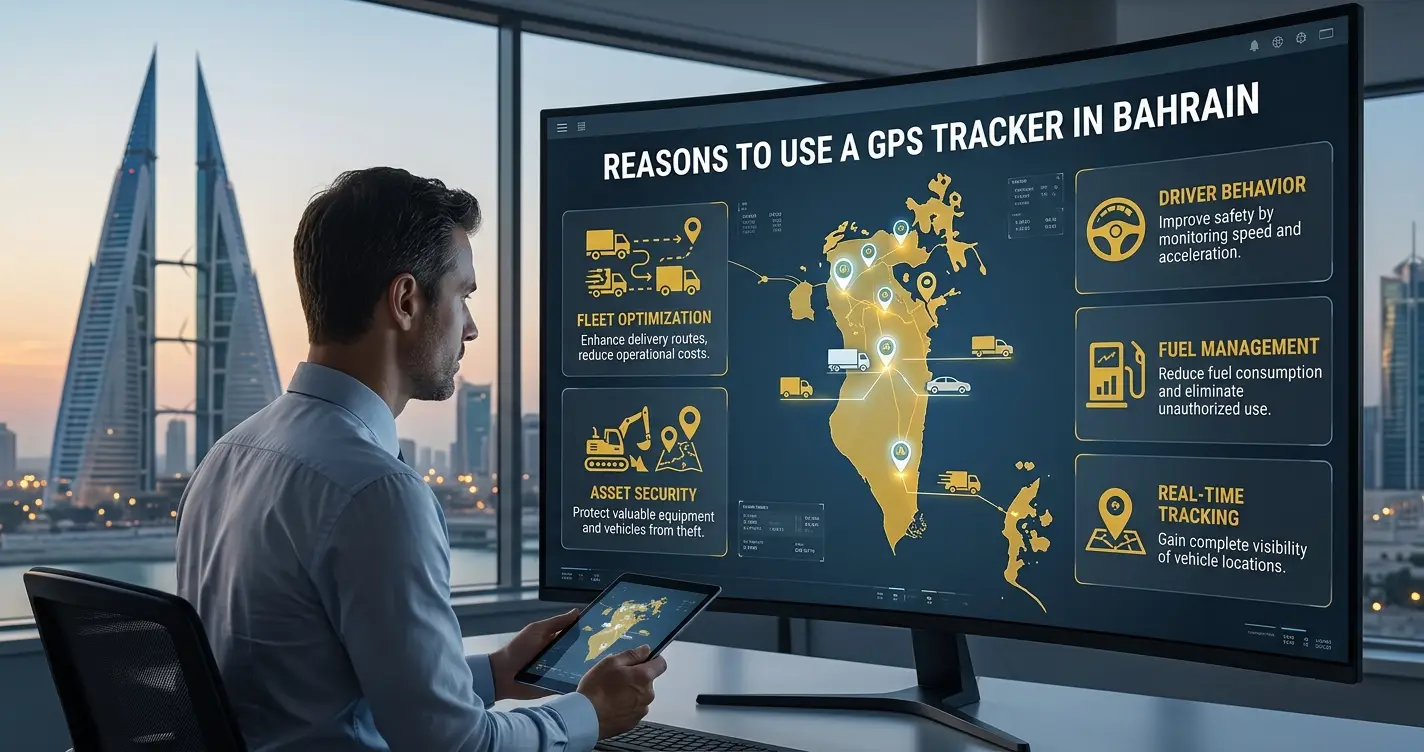
A fleet management system combines software with a GPS tracking device installed in each vehicle. The device collects information such as location, speed, driving behavior, and fuel use, then sends it to the software for easy monitoring. Whether you manage five vans or five hundred trucks, the goal is the same: less guesswork and better control of your fleet. For a deeper overview, read our complete guide to fleet management systems in Bahrain.
Here are ten useful features to look for in a fleet management system in Bahrain. Use this list to choose a new system or to review the one you already have.
10 Key Features of a Fleet Management System
1. Real-Time Vehicle Tracking
This is the foundation of any fleet system. Every vehicle appears on a map with its location, speed, and status: moving, stopped, or idling. A good GPS fleet tracking system refreshes frequently enough to give you a clear view of what is happening.
For a delivery business in Riffa, real-time vehicle tracking means knowing where each vehicle is, following its route, and giving customers more accurate delivery times. It also reduces unnecessary calls to drivers and helps dispatchers manage deliveries more efficiently.
2. Route Optimization
The shortest route on a map is not always the fastest route on the road. Traffic and peak hours can make a short journey take much longer.
For a multi-stop run from Muharraq to Riffa, route optimization can:
- Arrange stops in a more efficient order
- Help drivers avoid unnecessary backtracking
- Reduce total distance traveled and fuel consumption
- Help drivers complete more deliveries each day
- Make delivery times more predictable for customers
3. Fuel Monitoring
Fuel is one of the largest operating costs for any fleet, so it helps to see exactly where it goes. Fuel monitoring lets you track:
- Fuel levels across the fleet
- Consumption trends over time
- Unusual spikes that may point to route issues, a leak, or another problem worth checking
It also highlights idling, which is when an engine runs while the vehicle is stationary. Some idling is unavoidable during loading or waiting, especially when the air conditioning is running in Bahrain’s summer heat, but excessive idling adds to fuel costs. With this data, you can review fuel use based on clear figures rather than relying on receipts alone.
4. Driver Behavior Monitoring
Driver behavior monitoring shows how vehicles are being driven, including hard braking, rapid acceleration, sharp turns, and speeding. It helps you spot risky patterns early, before they lead to complaints, damage, or higher costs.
- Identifying risky habits early gives you the chance to address them through coaching, retraining, or route changes.
- Smoother driving puts less strain on a vehicle, and this often shows up in lower fuel use as well.
It also helps you recognize drivers who consistently drive safely and efficiently.
5. Maintenance Alerts
The system tracks mileage and usage so it can flag when a vehicle is due for scheduled maintenance, such as an oil change, tire check, or full inspection. Instead of relying on notebooks or memory, you receive a timely reminder.
Maintenance alerts can’t prevent every mechanical issue, but staying on top of scheduled servicing generally means:
- Fewer unexpected breakdowns
- Fewer vehicles out of service when you need them
- A better sense of when a vehicle is nearing the end of its useful life
6. Geofencing
You can set a virtual boundary around a warehouse, customer site, or other location. The system then alerts you when a vehicle enters or leaves that area.
Geofencing is useful for confirming deliveries and job site arrivals. It also adds a layer of security, because you are notified about vehicle movement outside expected areas without waiting for a manual check.
7. Reports and Analytics
Raw data is only useful when it is easy to read. Reports bring it together into clear summaries, covering:
- Fuel use across the fleet
- Driver behavior over time
- How vehicles are being used
- Trip records for a given period
Reports help you identify which routes use the most fuel and which drivers may benefit from additional support, insights that are hard to see without the numbers in front of you. Pair them with these tips to improve and measure fleet performance.
8. Driver Identification
When several employees share the same vehicles, it can be hard to know who was driving at a particular time. This is common with pool cars, shift-based delivery vans, and company vehicles that change hands during the week. Driver identification links an ID tag to each driver, so every trip is recorded against a name. With it, you can:
- Identify the driver for each trip
- Know who was driving when a speeding event or vehicle damage occurs
- Improve accountability when vehicles are shared
- Keep clear records after an incident
The result is a simple, reliable record that settles questions quickly, without anyone having to rely on memory.
9. Temperature and Sensor Monitoring
For fleets carrying food, medicine, or other temperature-sensitive goods, cargo monitoring helps keep products safe. Sensors track the temperature inside the vehicle and send instant alerts if it moves outside the safe range. Other sensors can monitor door openings and cooling equipment.
This helps you respond quickly to temperature or equipment problems, even when deliveries are delayed at points like the King Fahd Causeway. Learn more about our vehicle temperature monitoring system.
10. Dashboard Access
You’re not always in the office, so your tracking system should work across different devices. A web dashboard lets your team manage vehicles from a computer, review reports, and plan the day’s work. A GPS vehicle tracking app lets you check vehicle locations, monitor routes, and stay updated on fleet activity from almost anywhere.
With Najoom Al Thuraya, customers use the same login for the website and the mobile app, so there is no separate account to manage. Whether you’re at your desk, on a job site, or traveling, the same fleet information is available when you need it.
Why Fleets Choose Najoom Al Thuraya
Najoom Al Thuraya has been building vehicle tracking systems since 2008 and supports businesses across the Gulf region. Our mobile app lets you follow vehicles live, replay past routes, and receive alerts for geofence breaches, battery tampering, and towing. See how these features pay off in our guide to the benefits of fleet management.
Ready to See It on Your Fleet?
Every fleet operates differently, and the best way to judge a system is to see it working with your own vehicles. Najoom Al Thuraya Bahrain offers a live demo, answers your questions, and helps you choose the features your business needs. Contact our team to book your demo today.
FAQs About Fleet Management Systems
It depends on the size of your fleet and the type of vehicles, but installation is usually quick, often measured in hours per vehicle rather than days. Our team can give you a timeline once we know what you operate.
Yes. Fleet tracking systems can support different vehicle types, including vans, trucks, company cars, and heavy equipment. Available features depend on the vehicle and the tracking hardware.
Coverage depends on the mobile network and the tracking device. Contact us to confirm how tracking performs on your routes, including cross-border trips.
It helps you spot risky habits early, so you can address them before they become bigger problems. It also often lines up with better fuel use and less wear on the vehicle.
Yes. It’s just as useful for confirming deliveries and job site arrivals as it is for spotting unauthorized movement.
Compatibility depends on the vehicle and the hardware installed. Contact us with your fleet details, and we’ll confirm what is supported.